When you create a Random Enrollment Group Set, you will use the Membership section at the bottom of the group set's properties page to decide either the number of students per group OR the number of groups.
Ideally, your groups should consist of 3-5 (no more than 6) students.
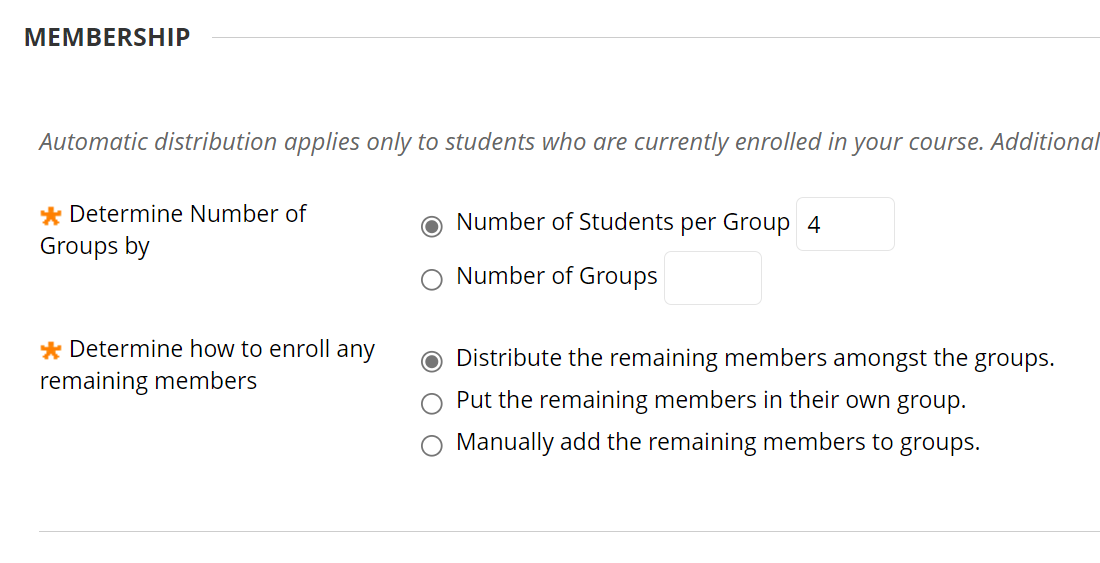
After determining this number you can choose how Blackboard handles the remainder (should there be any).
NOTE: if any students are added to the class after you have created these groups, you will need to add them to a group manually. "Late" adds will not automatically be added to groups.
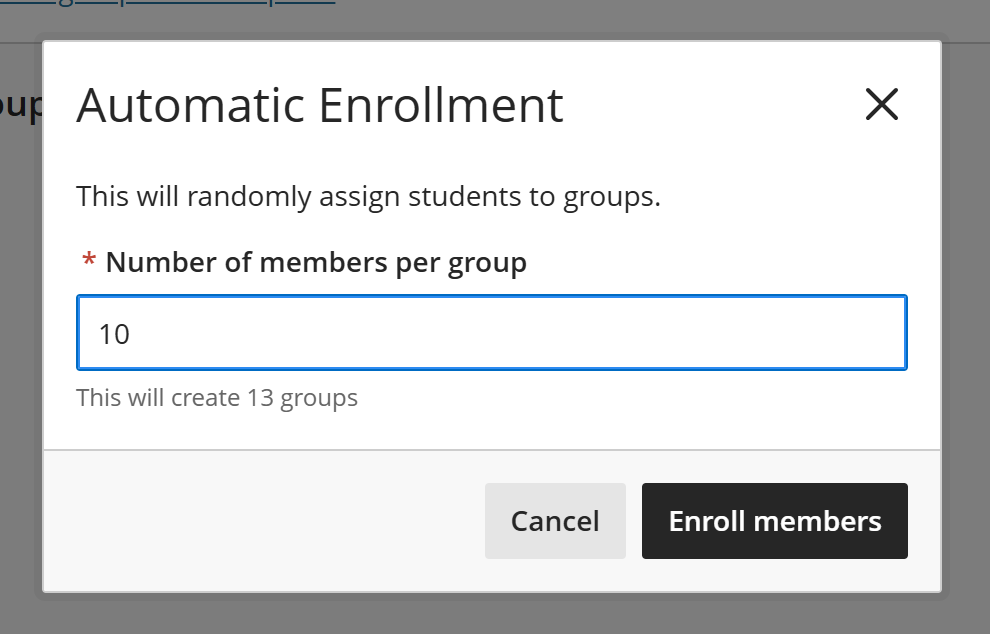
If you choose Automatically assign, you will first be prompted to enter the number of members per group. When you enter the number, a note beneath the textbox will indicate how many groups will be created automatically to fit this size of enrollment. After you have completed this step, you will be able to name the groups, should you so choose. Click ENROLL MEMBERS to create the groups and enroll the members.
NOTE: if any students are added to the class after you have created these groups, you will need to add them to a group manually. "Late" adds will not automatically be added to groups.
Please refer to the Manually Assign Groups page for information on how to manage and rename your groups.