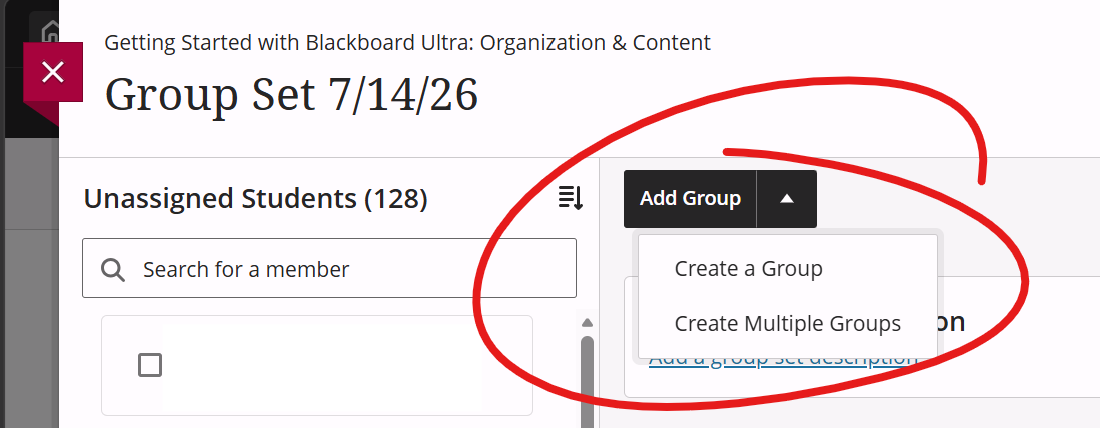
To add groups to the set, click the ADD GROUP button in the top-middle. You can add a single group, in which case you'll be prompted to enter a group name and description, or you can add multiple groups, in which case you'll be prompted to enter the number of groups you wish to add. If you add multiple groups, they'll be named "Group 1", "Group 2", etc.