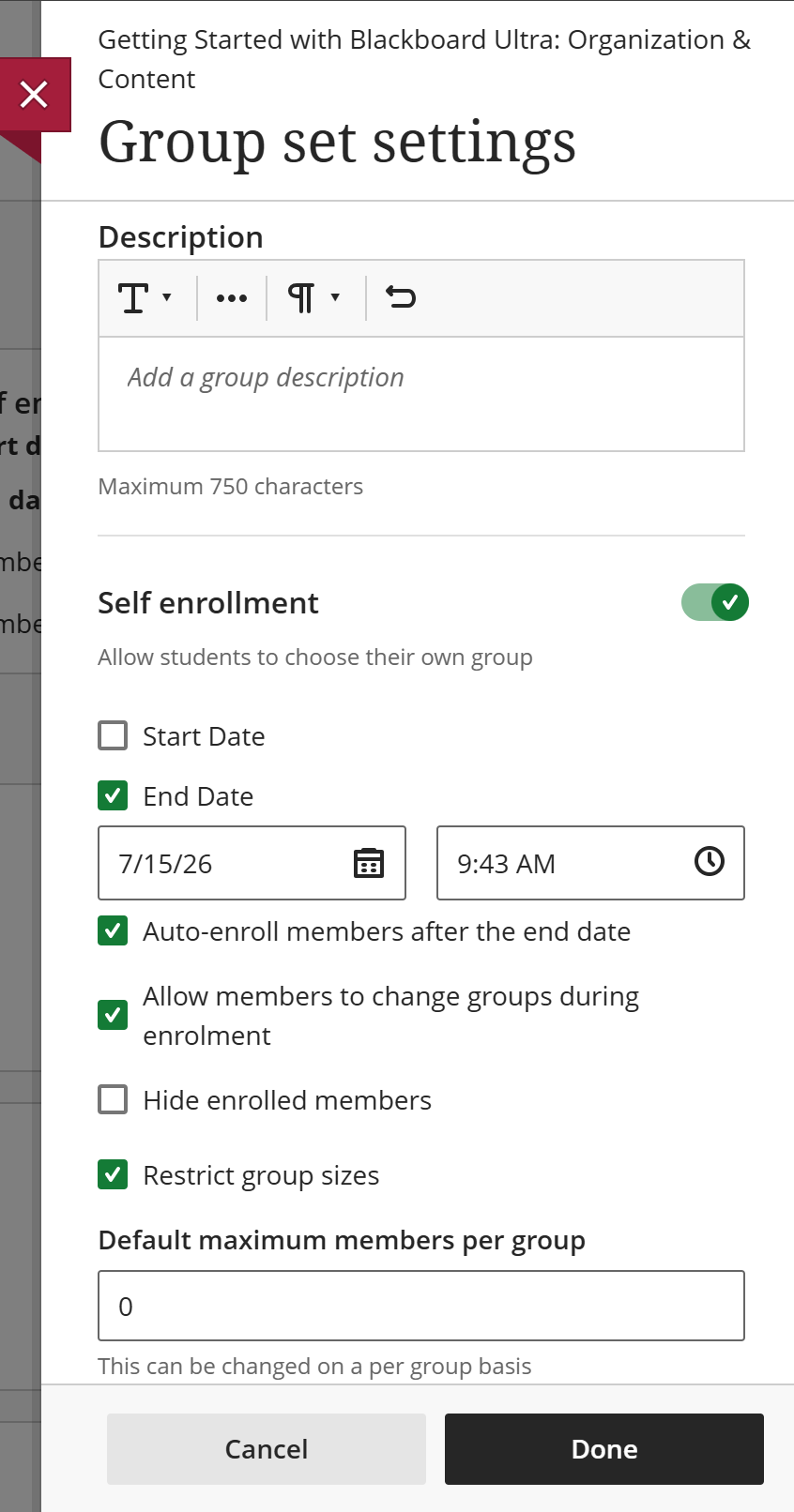
If you choose to Self-Enroll Groups, you will be prompted to enter some group settings before you get to the groups themselves.
The Description field provides a space to give students instruction and guidance about how this set of groups will be used. Use this space to give the students any information they may need when choosing which group to join.
Beneath, you use the Start and End Date checkboxes to enter enrollment dates for the groups.
With an End Date selected, you can also check the box to automatically enroll in a random group any course members who have not made a selection by the end of the self-enrollment period.
There are also checkboxes for allowing students to change their group enrollment during the enrollment period and for hiding the names of group members before enrollment.
Finally, checking Restrict group sizes locks the groups at a size you enter.
Click DONE to save these changes.
Please refer to the Manually Assign Groups page for information on how to manage and rename your groups.