October brought improvements to rubric management, grading, assignment submissions, and AI activities in Blackboard Ultra, and Ally improvements to PDF tools.
Blackboard Updates
Manage and reuse rubrics more easily
A dedicated Course Rubrics page brings your course’s rubrics into a searchable, sortable table. Open it through Gradebook Settings → Manage Course Rubrics, or select Add Rubric in Assignment Settings.
You can also export rubrics and import them into other courses, making it easier to reuse grading criteria. Exported ZIP files are intended for Blackboard import rather than viewing as documents.
See more information in the gradebook
Several updates make grading details easier to find:
- Username and last access: Optional, sortable columns in grid view. Enable them under Student options in Gradebook Settings; both are off by default.
- Points possible: A sortable column in list view displays each item’s point value.
- Exception indicators: A clock icon identifies individual exceptions for due dates, access dates, or attempts. It remains until the item is graded.
- Submission receipt searches: Search by receipt number to locate submissions for anonymously graded assignments.
Expand practice with AI Conversations
Faculty can now enforce a conversation language through Advanced options, helping students sustain practice in the target language. Students also receive a larger conversation view and select Start conversation to begin.
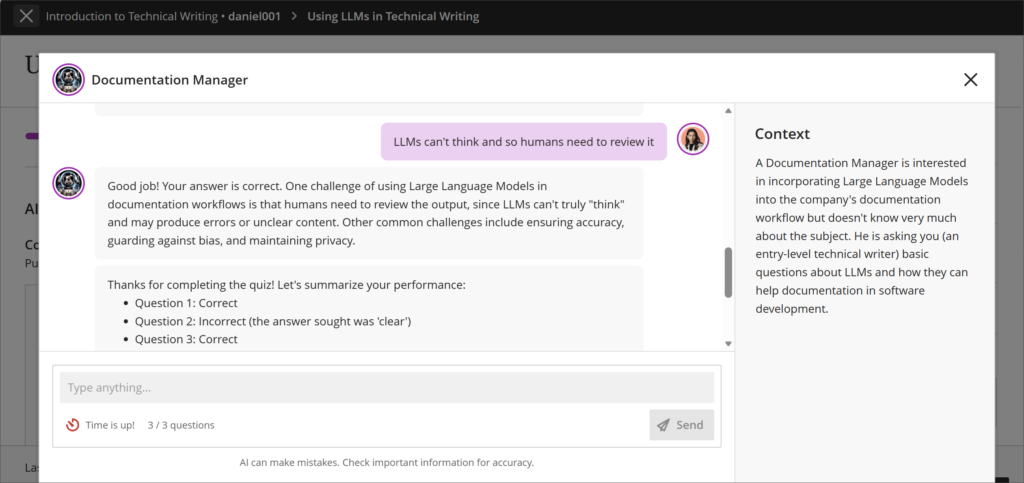 The updated AI Conversation immersive experience covers a broader space, supporting students in maintaining attention during their dialogue.
The new Pulse Quiz conversation type offers informal practice with questions generated from selected course content. Questions vary between students and are generated during the conversation, so faculty do not review them in advance. Quiz results do not automatically populate the gradebook; instructors review the transcript and reflection before providing feedback and a grade.
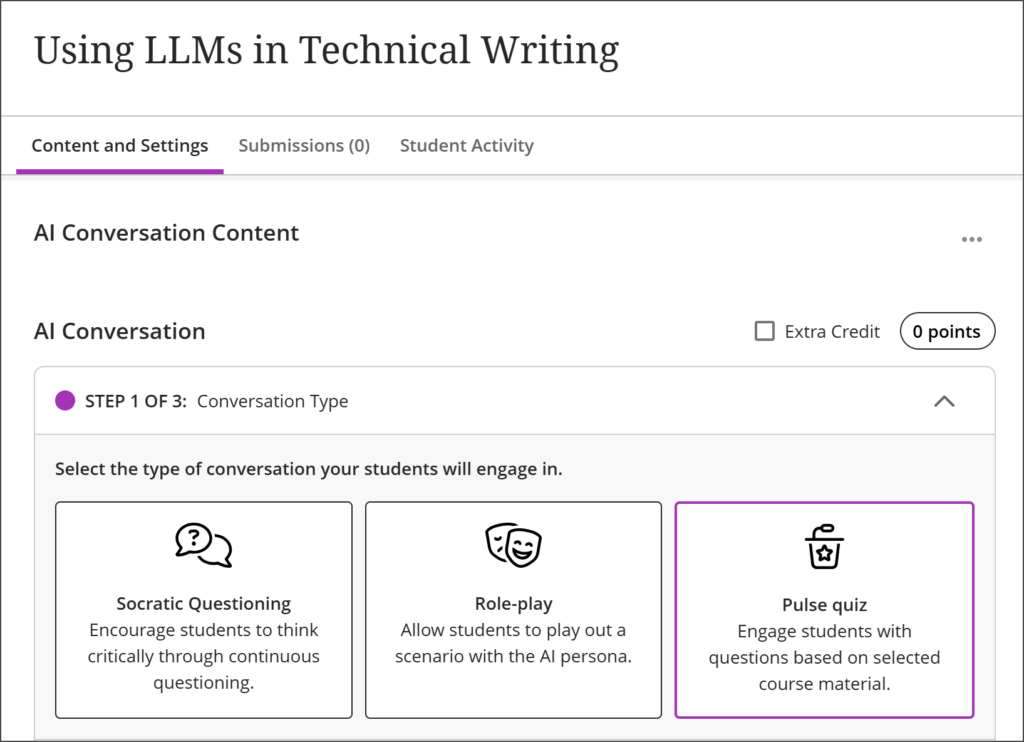 AI Conversation now includes Pulse Quiz, a new conversation type that asks students questions based on your description of the activity and your own course content
Also released in October
Two features from the delayed September update arrived October 1:
- Restrict accepted assignment file types: Choose common file types or enter custom extensions in the assignment’s submission settings. Students see the restrictions before submitting and receive a warning if they upload an unaccepted file type. This is a useful option to control assignment submission to accepted file types that are best for the assessment and your grading processes.
- View student outcomes mastery in the gradebook: For courses using Blackboard Outcomes and Mastery, faculty can view achievement by outcome, assignment, or competency directly in the gradebook. This replaces the separate LTI-based experience and displays in the user’s preferred language.
More flexibility for course content and grading
Separate release-condition rules now correctly allow access when a student meets any rule, including when one targets specific members or groups. Learning Object Repository content can also permit faculty edits to designated attributes, preserving those changes through future syncs.
Institutions can enable authorized users to reveal a student’s identity temporarily during anonymous grading. The action is logged, and grading while the identity is visible marks the submission as graded non-anonymously.
Looking ahead: Content Editor improvements
The new Content Editor is targeted for a January 2027 release and is not currently activated at our institution. Recent beta improvements offer a preview: better keyboard navigation, more consistent list formatting, improved image and attachment handling, combined code blocks, and support for LaTeX and MathJax equations.
Ally Updates
Add image descriptions directly to PDFs
Ally’s October 12 update (version 2.20) makes it easier to improve PDF accessibility without leaving Blackboard. Through Ally Instructor Feedback, faculty can add alternative text to images within a PDF or mark images as decorative. Ally then saves an updated PDF directly to the course, replacing the previous file.
Where the AI Alt Text Assistant is enabled, faculty can also generate suggested descriptions that consider the surrounding PDF content. Each suggestion requires faculty review and approval before it is applied.
The release also improves keyboard navigation, screen reader announcements, and focus indicators in Instructor Feedback and the Course Accessibility Report. Additional Ally improvements support Blackboard’s new Content Editor, which is not currently activated at our institution and is targeted for January 2027.
For assistance with these updates or more information about using them in your courses, please contact CETL.